Screen + U8G2
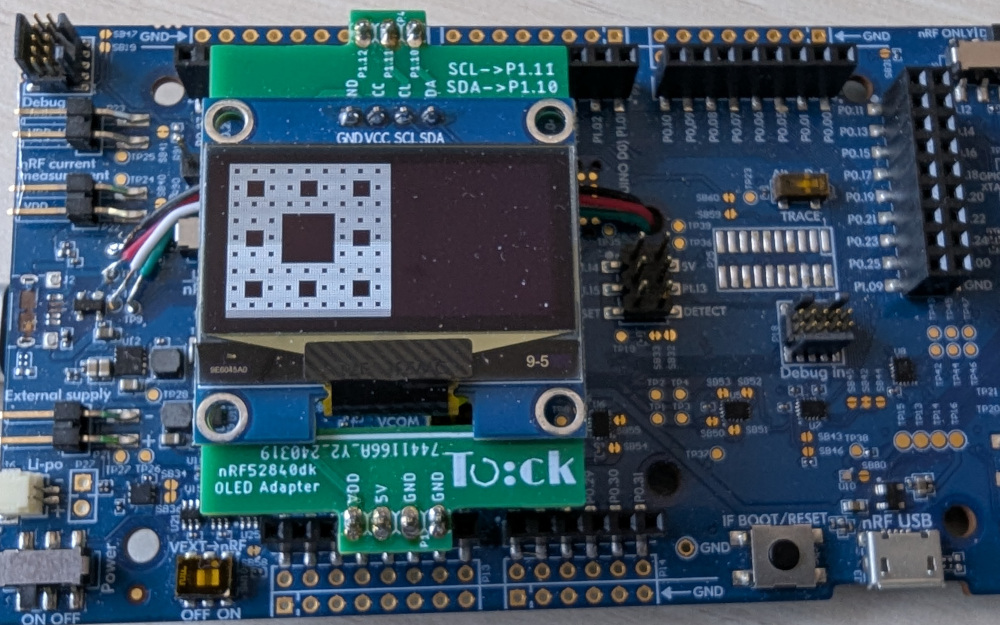
This mini tutorial will go through the steps to run a simple app to draw graphics on an attached screen. The graphics library is U8G2, a monochrome graphics stack designed for embedded devices. The graphics library is included as a libtock-c app.
Setup
You need a hardware board that can run Tock and a supported screen attached to the board.
Recommended Hardware
We recommend using the Nordic nRF52840dk with an SSD1306 screen.
Installing Tock
The Tock kernel installed on your board must support the screen syscall.
Option 1: Use a pre-configured kernel
The easiest way to get started is to use a Tock kernel that already has the screen support. With the nRF52840dk and a SSD1306 screen, the kernel located here:
tock/boards/tutorials/nrf52840dk-thread-tutorial
is a good option to use as it already has the screen driver installed.
cd tock/boards/tutorials/nrf52840dk-thread-tutorial
make install
Option 2: Configure the kernel with the screen driver
If there is not an existing kernel setup you can use, follow the directions here on how to include the screen for your board and kernel.
Testing the Screen
Use an existing u8g2-based userspace application to test the board.
From the libtock-c repository:
cd libtock-c/examples/tests/u8g2-demos/circle
make
tockloader install --erase
You should see a shrinking and growing circle:

Trying other demonstration apps
Look through the examples in libtock-c/examples/tests/u8g2-demos and try some
of them out. Be sure to uninstall previous u8g2 screen apps when installing a
new one, or remove all other apps when installing using the --erase flag with
tockloader.
Write your own U8G2 app
You can use the U8G2 documentation to write your own U8G2 app with Tock.
Tock uses the U8G2 library directly, so all provided functionality should be available. You just need to initialize the library in Tock with this basic boilerplate code:
#include <u8g2-tock.h>
#include <u8g2.h>

u8g2_t u8g2;

int main(void) {
  u8g2_tock_init(&u8g2);

  // U8G2 code goes here
}
For example, the spin app looks like this:
#include <math.h>
#include <stdio.h>
#include <stdlib.h>

#include <u8g2-tock.h>
#include <u8g2.h>

#include <libtock-sync/services/alarm.h>

u8g2_t u8g2;

#define PI 3.14

int main(void) {
  u8g2_tock_init(&u8g2);

  int width  = u8g2_GetDisplayWidth(&u8g2);
  int height = u8g2_GetDisplayHeight(&u8g2);

  int center_x = width / 2;
  int center_y = height / 2;
  int radius   = 0;

  if (width < height) {
    radius = center_x - 1;
  } else {
    radius = center_y - 1;
  }

  int rot = 0;

  while (1) {
    u8g2_ClearBuffer(&u8g2);

    double angle = (((double) rot) / 100.0) * (2 * PI);

    int x = center_x + (radius * cos(angle));
    int y = center_y + (radius * sin(angle));

    u8g2_DrawLine(&u8g2, center_x, center_y, x, y);

    u8g2_SendBuffer(&u8g2);
    libtocksync_alarm_delay_ms(200);

    rot = (rot + 1) % 100;
  }
}
Happy hacking!